
Send a price straight from the [Price request] email
The [Price request] email you get for a brand that needs a person to send each price (Holosun) shows today's store price and a Send the $... price button. You do not need to sign in to the admin.
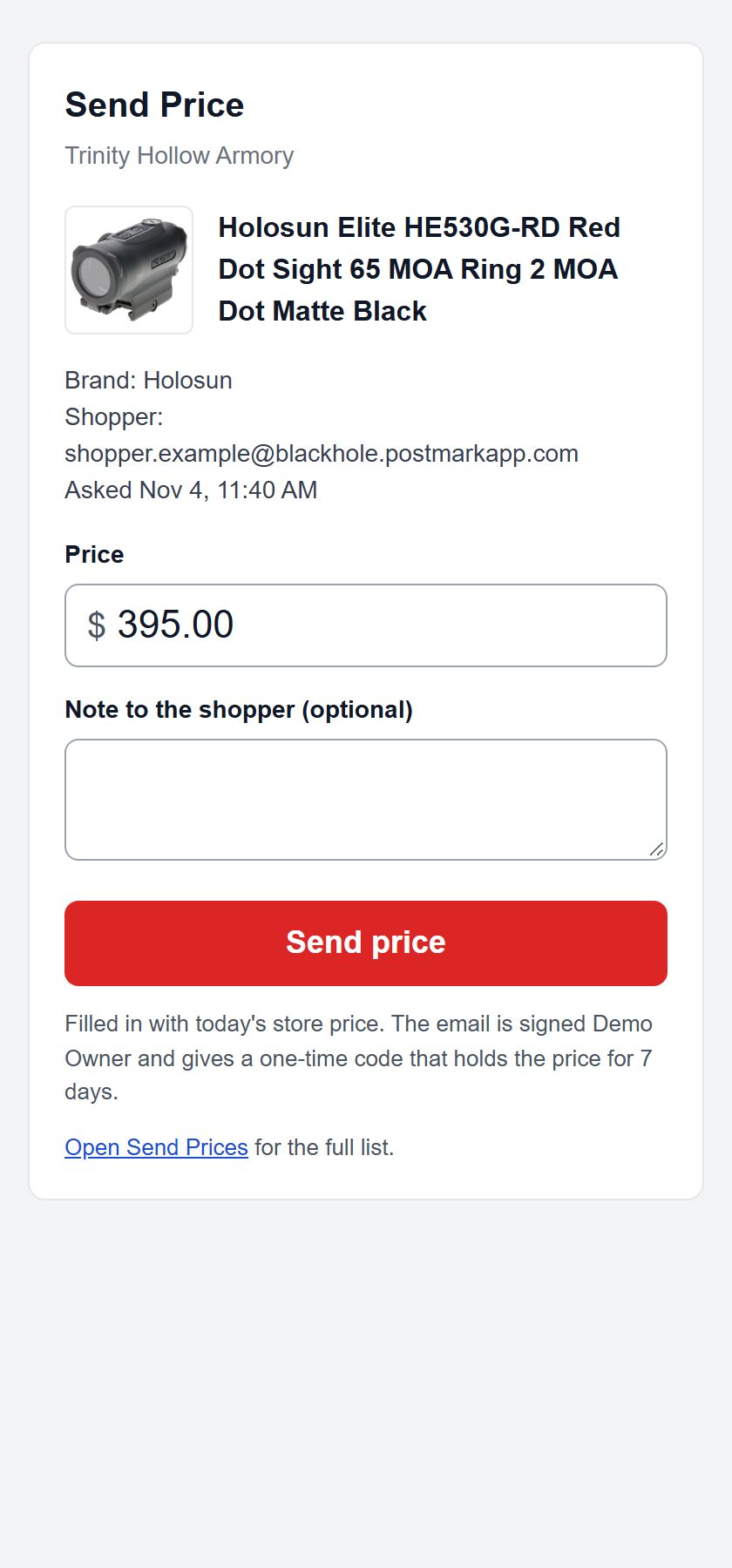
- In the email, click Send the $... price. A page opens with the product, the shopper and today's price filled in.
- Change the Price if you want to, and add a Note to the shopper if you like.
- Click Send price.
The shopper gets the same email as from Send Prices: their price, a code that works one time and holds it for 7 days, and the reminder that the code is for them only. It is signed with the name on the admin login that uses the email address the alert went to.
- Opening the link never sends anything. Email security filters open links on their own, and a price sent that way would be the automatic email the brand does not allow. The price goes only when someone clicks Send price.
- Each link is for one request and stops working after 7 days. A request can only be sent once, from the email or from Send Prices, and never below your cost.
- Open Send Prices in the same email still takes you to the full list.
Still stuck? Email support@2adata.com and tell us which article you were reading.
Comments
No comments yet. Questions and tips from other store owners are welcome.
Leave a comment