
Quick Add tiles and range time at the register
Quick Add puts one tap tiles at the bottom of the register for the things you ring all day, like range time, an extra shooter or a target.
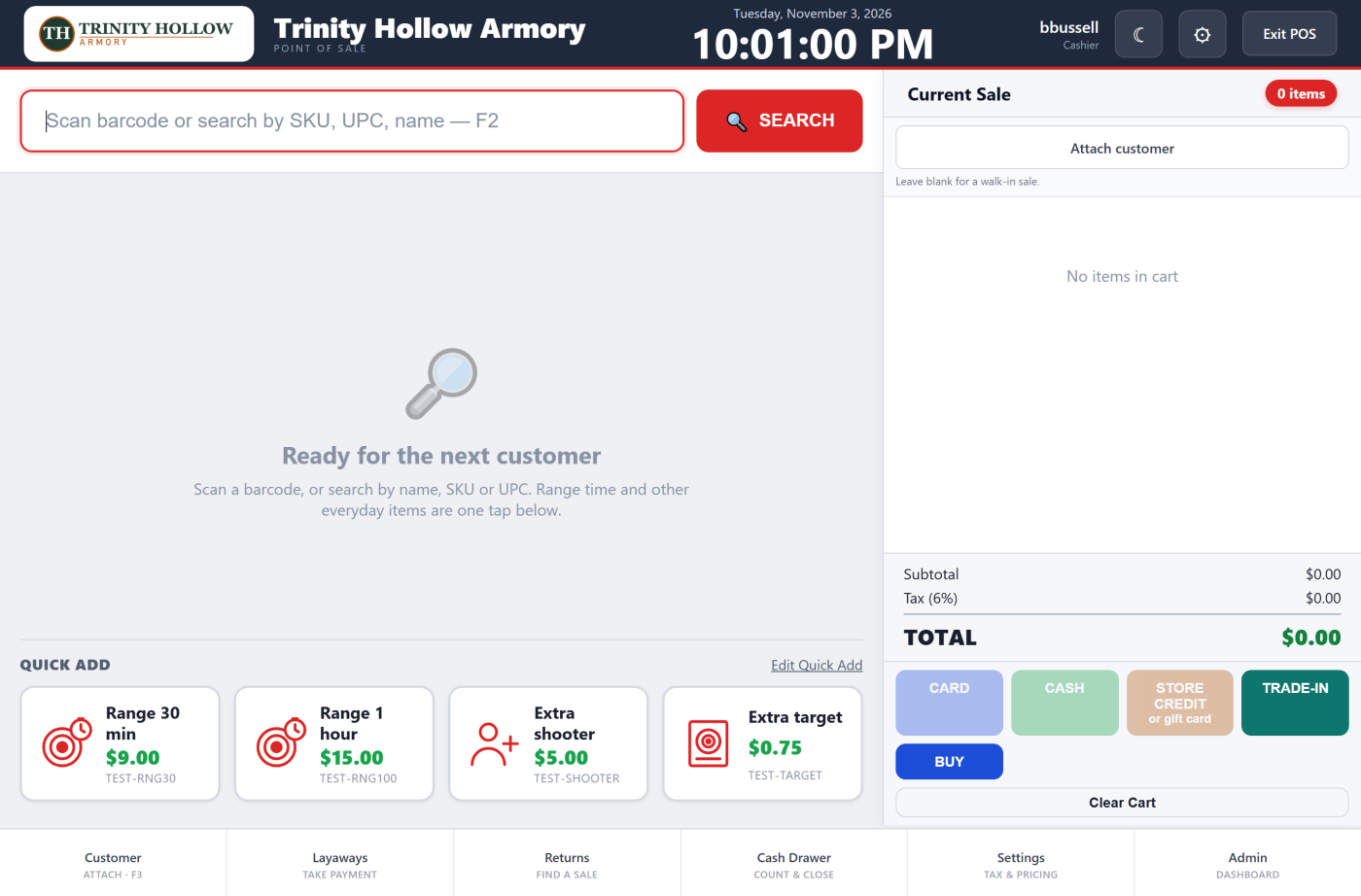
Ring a tile
The tiles are under Quick Add, below Ready for the next customer. They show when the register opens, after each sale, and whenever the search box is empty, so clear a search to get them back. Each shows its name, price and code. Tap a tile to add one to the sale, and tap it again for another. It then rings like any other line, so Change price, card, cash and store credit all work.
Set up your tiles
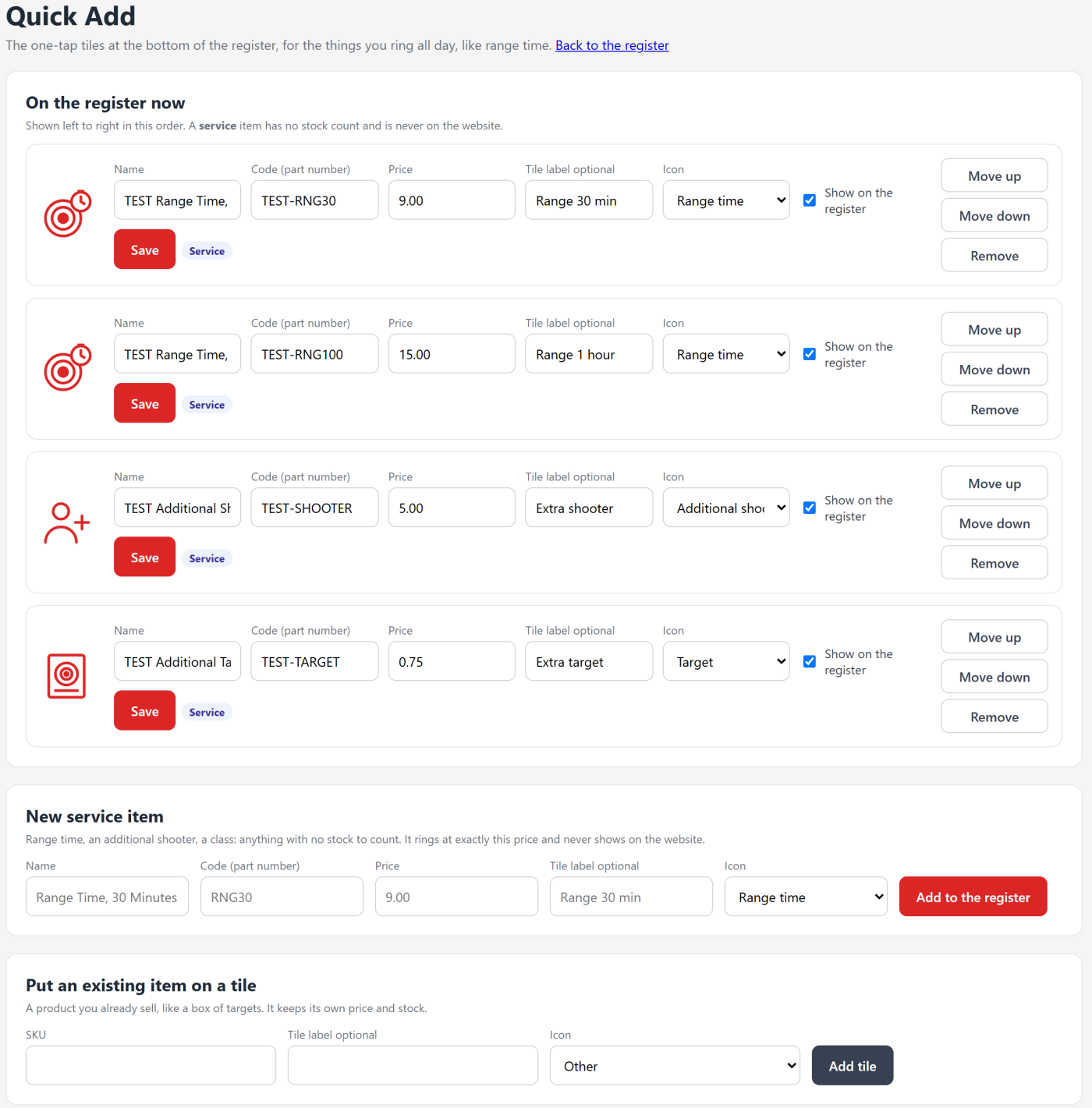
Click Edit Quick Add on the register, or Set them up when there are none yet. The Quick Add page has three parts.
- New service item: range time, a class, or anything with no stock to count. Enter the Name, a Code (part number) such as RNG30, the Price, a short Tile label if you want one, and an Icon. Click Add to the register. Each code can be used by one item only.
- Put an existing item on a tile: a product you already sell, like a box of targets. Enter its SKU, a Tile label if you want one, and an Icon, then click Add tile. It keeps its own price and stock, and you price it on its product page.
- On the register now: the tiles in order, left to right. For a service item you can change the name, code and price here. Change the Tile label or Icon on any tile and click Save. Move up and Move down change the order. Uncheck Show on the register to hide a tile. Remove takes the tile off the register; the item itself is kept, and its old sales are untouched.
What a service item is
- It has no stock count. The register never calls it out of stock, and a sale never takes stock from it.
- It is never on your website, in search, or in any shopping feed. Only the register sells it.
- It rings at exactly the price you set. No markup or MAP rule changes it.
- Your P&L counts its sales with a cost of zero, so the whole price counts as gross profit instead of showing as a sale with no cost on file.
Still stuck? Email support@2adata.com and tell us which article you were reading.
Comments
No comments yet. Questions and tips from other store owners are welcome.
Leave a comment