
Buy a gun outright at the register, and the Buy Log
When you buy a gun from someone who is not buying anything, use BUY on the register. There is no sale and no order. You pay them with store credit or a check, and every buy is kept in the Buy Log.
Buying is done only here now. Take In an Item is for consignment.
Buy the gun
- Open the register and click the blue BUY button. The Buy guns (no sale) window opens.
- Under 1 · Who are we buying from (from their driver's license), copy their name, street address, city, state, ZIP and ID number from their license. One buy is one person. To buy from someone else, ring them as their own buy.
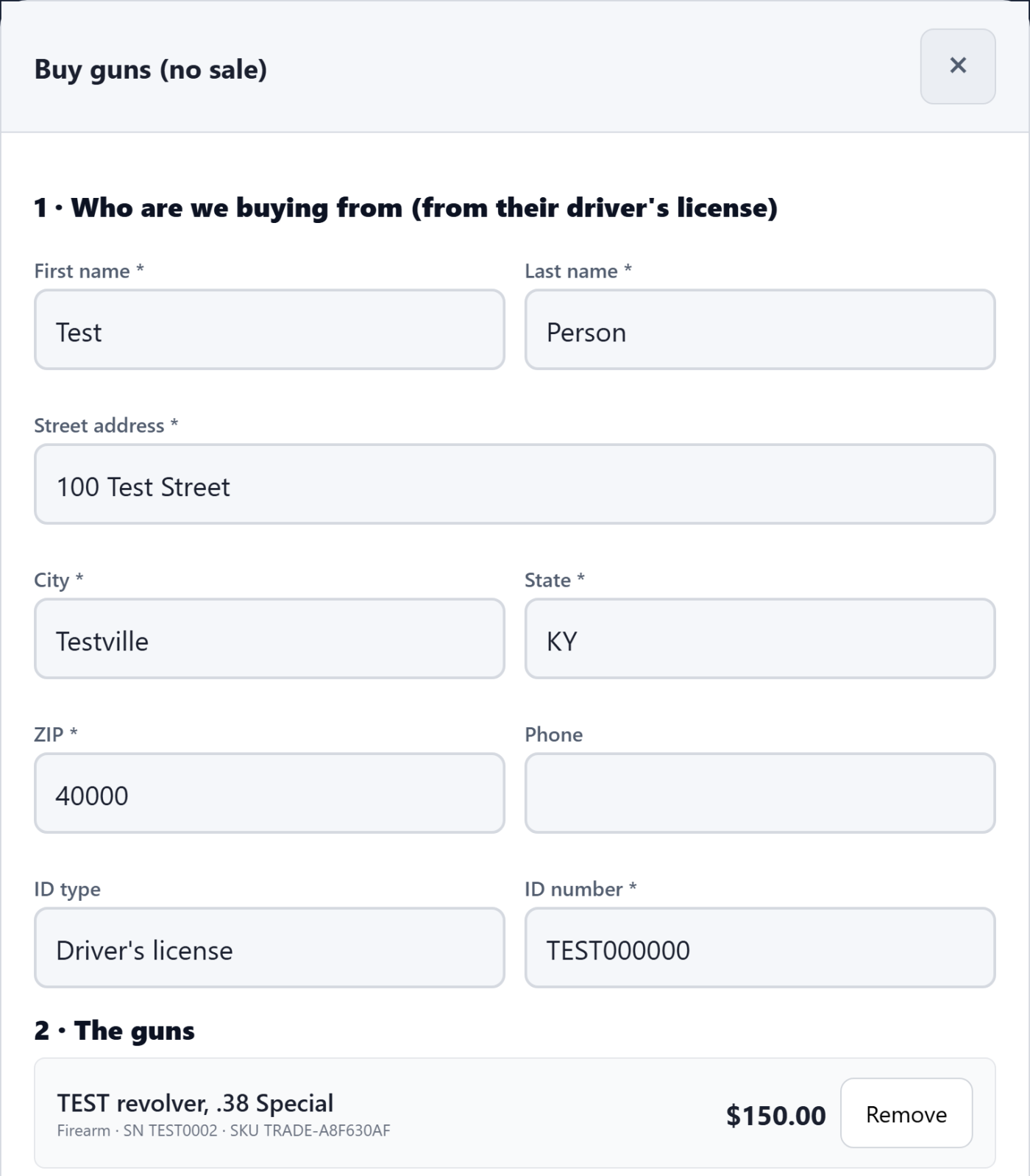
- Fill in each gun the same way as a trade in: the UPC with Find or Make a store UPC, What is it, What we are paying (trade value), Sale price (goes online), Condition, Condition rating, and the bound book boxes (Make (manufacturer), Model, Type, Caliber or gauge, Serial number). Click Add this gun after each one. It is listed under 2 · The guns.
- Under 3 · How we are paying them, tap Store credit (a code to print or email) or Check. For a check you can type the Check number now, or add it later in the Buy Log.
- Click the blue button. It says the amount and how you are paying, for example Complete buy: pay $150.00 in store credit.
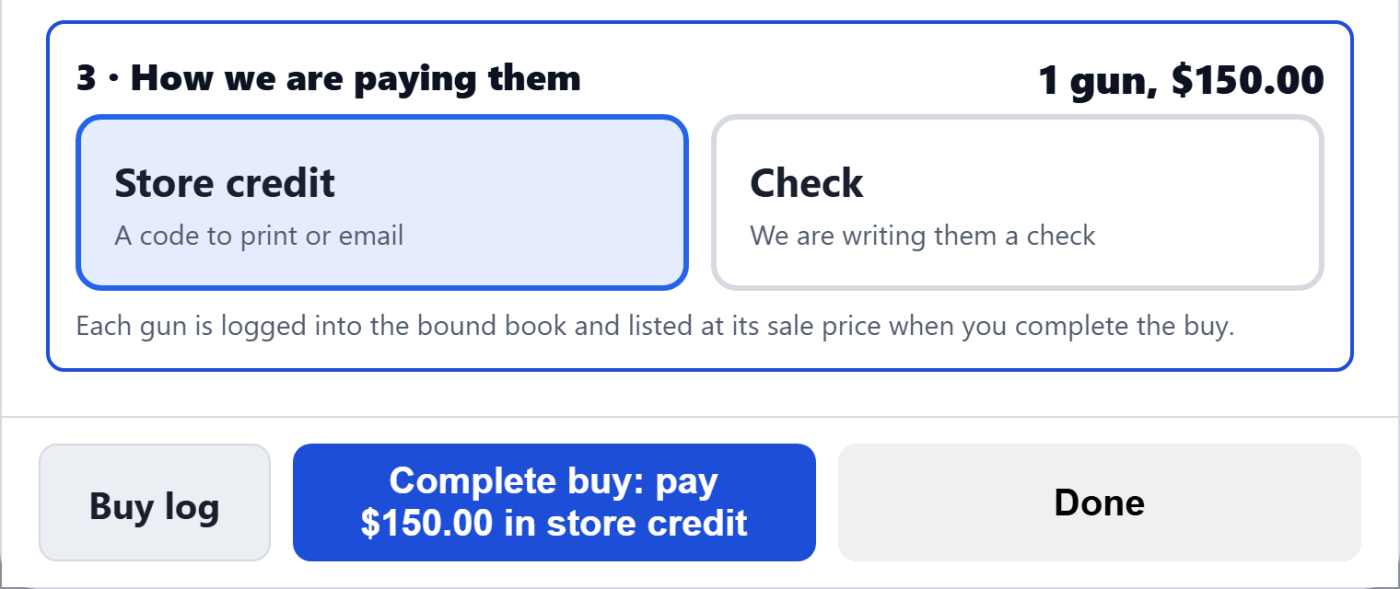
Every gun is checked before anything is saved. If one gun is missing something the bound book needs, nothing is saved and the message says which gun.
The receipt and the store credit code
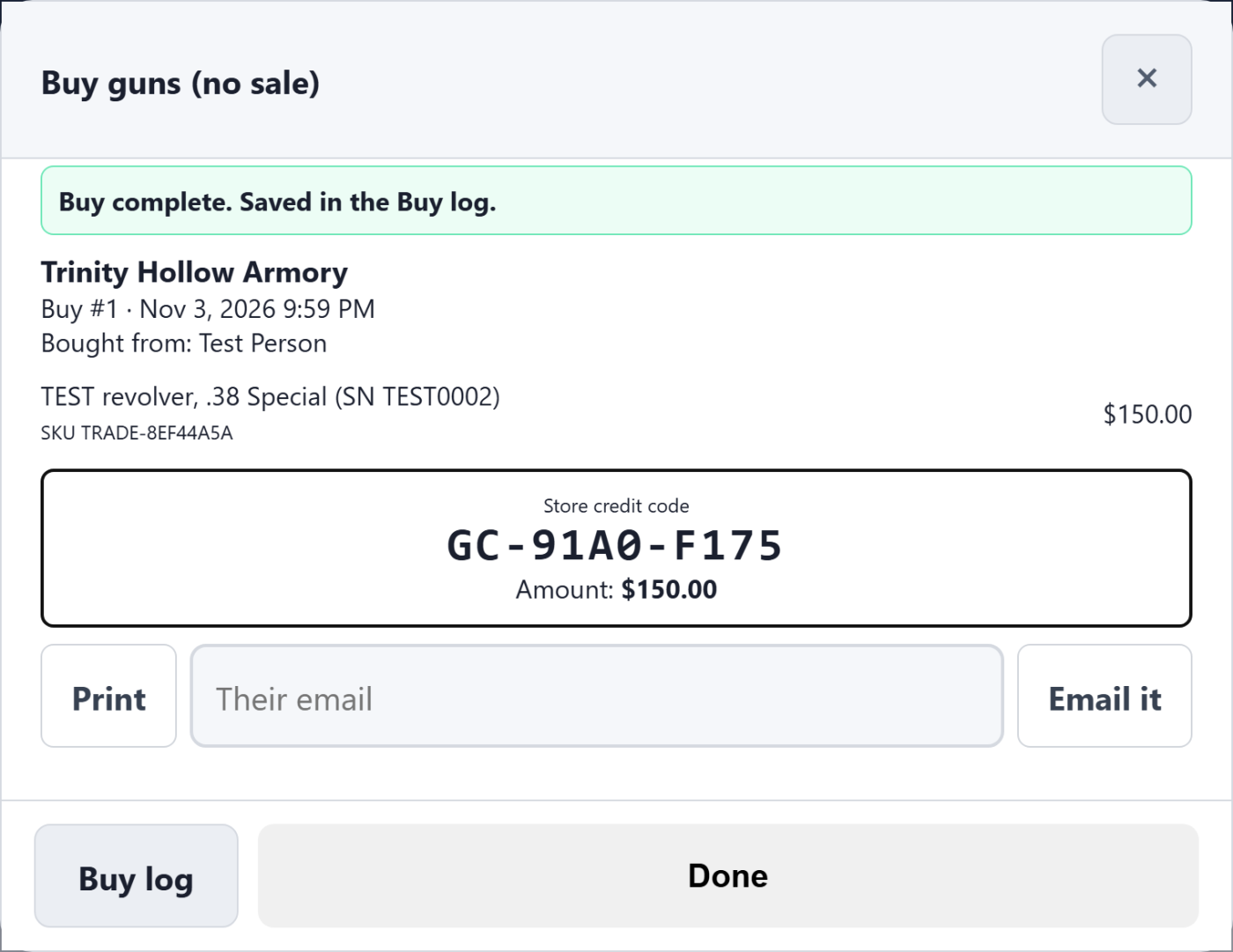
You see Buy complete. Saved in the Buy log. and the buy receipt: the buy number, who you bought from, each gun with its serial and new SKU, and how they were paid.
- Store credit: the receipt shows the code and the amount. Click Print, or type their email and click Email it to send them the code. The code has no expiry date. They can spend it at your register with STORE CREDIT, or at checkout on your website, and it is listed on Gift Cards.
- Check: the receipt says paid by check to the person, with the check number if you entered it.
What happens to the guns
The same as a trade. Each gun becomes its own used listing at the sale price you entered, with what you paid as its cost. Its acquisition is logged when you complete the buy, as a purchase from the person, and it stays off the shelf until its entry is in the book. A held gun waits on Trade-ins, marked Buy. See Take a trade in at the register for how a held gun is released.
The Buy Log
Open Buy Log from the POS home, from the left menu under Tools, or with the Buy log button in the BUY window.
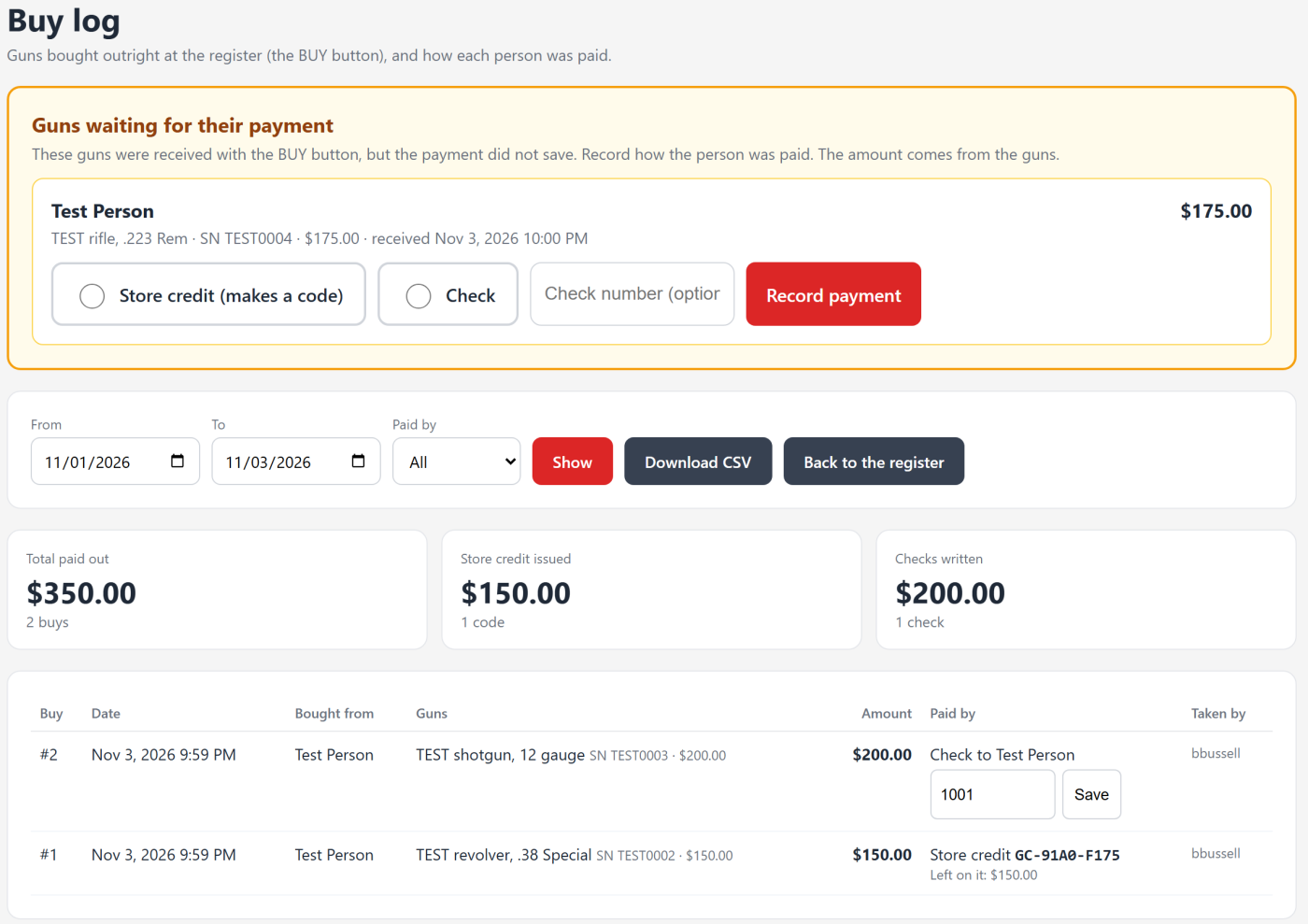
- Pick the dates with From and To (it opens on this month), choose Paid by to see only store credit or only checks, and click Show.
- Total paid out, Store credit issued and Checks written add up the buys shown.
- Each buy shows the date, who you bought from, the guns with serials, the amount, how they were paid and who took it. A store credit shows its code and Left on it. A check shows who it was made out to.
- To add or fix a check number, type it in the box on that row and click Save.
- Download CSV saves the buys shown, for your books.
Guns waiting for their payment
If a buy received the guns but the payment did not save, the guns wait at the top of the Buy Log under Guns waiting for their payment, and Buy Log in the menu shows a count. Choose Store credit (makes a code) or Check, add the check number if you have it, and click Record payment. The amount comes from the guns. For store credit, the new code is shown with Print this code.
Important: Check that the person was not already paid another way before you click Record payment. Store credit makes a code they can spend right away.
Still stuck? Email support@2adata.com and tell us which article you were reading.
Comments
No comments yet. Questions and tips from other store owners are welcome.
Leave a comment